Everything Inglen does
The free app, the Plus phone app, and what each part of it can do. Every line here is in v0.7.6, which is in preview; the download gives you the newest release.
Brains
- A model on your PC, run by Inglen's own engine: the CUDA build on NVIDIA cards, Vulkan on AMD and Intel.
- It finds and downloads a model that fits your graphics card, with Pause, Resume and Cancel.
- Claude Code, Codex or Cursor as the brain, on the plan you already pay for, with no API key.
- Agents that speak the Agent Client Protocol, such as OpenCode, can be the brain too.
- Your own key for Anthropic, OpenAI, Google, OpenRouter, xAI or Groq.
- One menu to switch mid-chat, each agent opening into its own models. Think sets how hard it reasons.
- A model on this PC can stay loaded under a cloud brain, so helpers think with it for free.
- Each turn on a provider or an agent shows what it cost, or how much of your plan it used.
On your PC
- Reads and writes files, PDFs, Word, Excel and slides. Type @ to hand it a file, a folder or an earlier chat.
- Runs commands in PowerShell, cmd or bash, and a slow one can carry on in the background.
- Desktop control you can watch: an edge in your accent round the screen, a pill saying what it does, a chime when it ends.
- Clicks through other apps by the names of their buttons, or by numbers it draws on what it sees.
- Lays your windows out in one go: the browser on the left, the editor on the right.
- Drives a browser window you can watch, or the Chrome you already use, with your logins.
- Reminders in plain words, said in a chat of their own. They can be changed, paused and resumed.
- Skills in the Agent Skills format, each with its own switch.
Voice
- Voice mode works like a call: you can talk over a reply, on speakers as well as a headset.
- Listening and speaking both run on your PC.
- Eight languages and 54 voices.
- It wakes on its name, and “Inglen, stop” cuts it off.
- A step that needs your OK is asked out loud, with Allow and Deny on the voice screen.
- The terminal listens too, with /listen.
Helpers and the Team room
- Big jobs split across helpers, each with a first name and a full log of its steps.
- A pixel room by the fire where you watch them work, and four rooms when the team grows.
- Helpers on this PC's model, on a provider's model, or on a coding agent you have installed. Inglen has adapters for twenty-three.
- Tell a working helper something part-way. Helpers ask each other questions and report in.
- A coding agent works on its own copy of your git repository; you bring its changes in, discard them, or undo them.
- Give one task to two agents, run your tests on both, and keep the one you like.
- Reads and carries on the Claude Code, Codex and other coding agents' sessions on your PC.
Memory
- What it learns about you is kept as small notes on your disk that you can read, change or delete.
- When something changes, it replaces the old fact and keeps the previous one in the archive.
- It notes where each chat stood, so a new chat picks up the thing you meant.
- Ask about “last week” and it searches those days.
- Share with agents puts your memory in Claude Code, Codex, Cursor and OpenCode as a tool server.
- Setup can bring over what ChatGPT or Claude knows about you.
Phone and Plus
- Telegram, Discord and WhatsApp, free: new people get a pairing code and nothing runs until you approve them.
- Voice notes, photos and files go both ways, and a risky step asks in the chat.
- Plus: the Android app reaches your PC over the internet, end-to-end encrypted.
- Allow or deny a step from the lock screen, call your PC, and keep going with the screen off.
- Inglen can call you about a reminder or finished work, if you allow it, never in your quiet hours.
- Your local coding-agent sessions on your phone, no cloud session needed.
Connectors and MCP
- Email: read your inbox and send from your own address.
- Write your own connector as one Python file.
- Uses the tools of any MCP server you add, each asking before it runs.
- Its own tools work from other apps through its MCP server.
Images and video
- Pictures and short videos on your own graphics card, with stable-diffusion.cpp built for your card.
- Reads the models already in a ComfyUI or WebUI folder.
- Or from Grok, OpenAI or Gemini with your key, whatever brain you use.
Safety and approvals
- One switch for how much it does on its own: Ask, Auto-edit or Auto. Shift+Tab cycles it.
- In Auto, deleting, sending, installing and changing security settings still ask.
- Auto's reviewer lets a step through when your own words asked for exactly that.
- Every file change keeps a copy first, and /undo puts it back.
- Writes stay in its own folder unless you allow another, and reads can be confined too.
- Updates are applied only when signed by the release key.
Window and terminal
- The window and the terminal share one set of chats.
- A first run that sets it up, then a short tour.
- A Logs page that reads in words, and /status for what is thinking and how much of your plan is left.
Looks
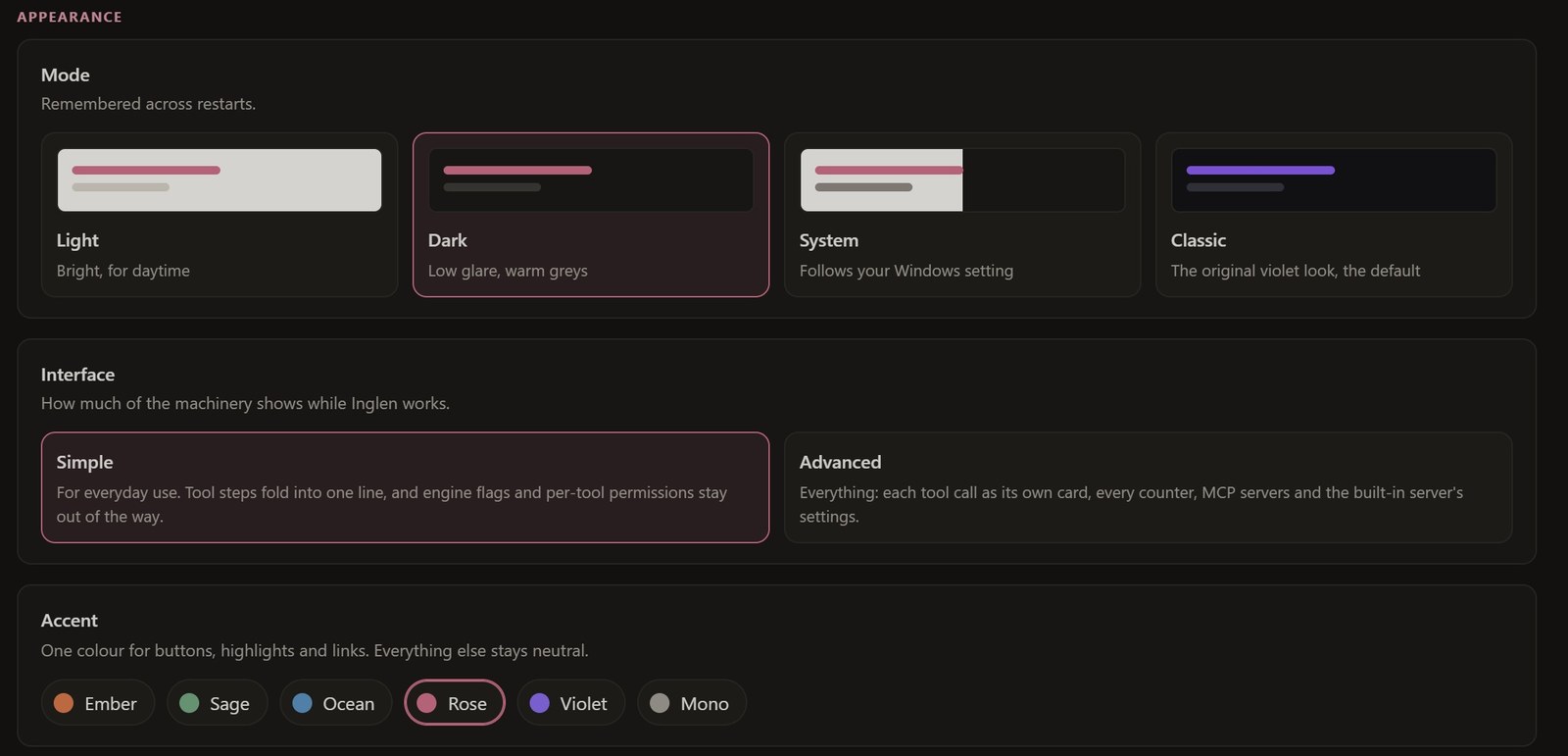
Light, Dark or Classic, with six accents. The tray and the terminal follow.